Biggest Alloy Origins 60 Buying Mistakes (And How to Avoid Them)
The compact, performance-focused mechanical keyboard market has matured quickly, and the HyperX Alloy Origins 60 has become a frequently considered option for people seeking a 60% layout with strong gaming credentials. That same speed of development and the many variant SKUs can also lead buyers into common traps. This article breaks down the most frequent mistakes buyers make when choosing the Alloy Origins 60 (or similar 60% boards), why those mistakes matter in real-world use, and practical steps to avoid them.
Introduction: who should consider the Alloy Origins 60?
The Alloy Origins 60 targets buyers who want a small, desk-space-saving keyboard that still delivers desktop-grade mechanical switches, reliable build quality, and responsive performance for gaming and everyday typing. It’s particularly attractive to:
- Gamers who want a compact setup and full key rollover for competitive play.
- Traveling professionals or students who need a compact board for short commutes or co-working desks (when a wired board is acceptable).
- Desk minimalists who prioritize footprint and cable routing while keeping a satisfying mechanical typing experience.
However, real-world use cases reveal different priorities: programmers may prefer dedicated arrow keys or easy access to function layers, streamers may want consistent RGB software, and modders may look for hot-swap capability. Overlooking those priorities causes many of the buying mistakes detailed below.
Detailed product review and analysis
At its core, the Alloy Origins 60 is a small-format mechanical keyboard that emphasizes a solid chassis and reliable switches. In practical terms:
- Form factor and layout: The 60% layout removes the number pad, function row, navigation cluster, and often arrow keys from the main key cluster. Those functions are retained through a function layer. For desktop use this reduces footprint drastically, but it changes how frequently used keys are accessed.
- Build quality: The board uses a metal top case or a reinforced frame in many SKUs that gives it a premium feel and sturdy base for typing and gaming. This results in reduced flex compared with entry-level plastic cases, which most users appreciate during heavy use.
- Switches: The unit ships with HyperX-branded mechanical switches in several actuation flavors (linear, tactile, clicky) depending on the SKU. These switches tend to be responsive and tuned for gaming, with clear actuation points and relatively short travel compared to older, heavier switches.
- Connectivity: Primarily a wired USB-C connection. This offers low latency for gaming but means buyers looking for a wireless or multi-device board need to verify the model carefully.
- Lighting and software: Per-key RGB and software integration (via HyperX’s configuration app) are typical. In practice, software quality and stability matter more than lighting effects for everyday use—lighting is aesthetic, but configuration and macro functionality affect workflow and gaming setups.
- Onboard features: Many compact boards include on-board profiles and key remapping so macros and layering carry with the keyboard between systems. This is especially useful for streamers and LAN players who use multiple machines.
In everyday usage, the Alloy Origins 60’s combination of compact size and performance-oriented engineering works well for quick, precise keystrokes in games and for typists who adapt to a function-layer-based workflow. It’s less ideal for users who frequently use dedicated function keys, a number pad, or full-size arrow clusters without learning the layer shortcuts.
Real-world examples
Consider three buyer profiles to place real-world expectations:
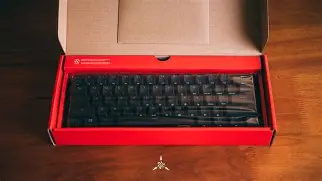
- Competitive gamer: Values low latency and consistent switch feel. A wired Alloy Origins 60 delivers predictable performance; the compact size reduces mouse travel. However, if the gamer streams and needs quick scene switching macros, they should confirm the onboard macro support and software reliability.
- Software developer: Often relies on function keys, symbols, and arrow keys. A compact keyboard forces reliance on layers or external macro tools; some developers prefer 65% or TKL boards for a better balance between footprint and dedicated keys.
- Remote worker/traveler: Appreciates reduced size for portability, but if the user wants wireless connectivity or hot-swap capability for switch experiments, the standard wired Alloy Origins 60 may not be ideal unless a specific SKU or a modified version is chosen.
Ten biggest buying mistakes and how to avoid them
Mistake 1 — Assuming the 60% layout fits every workflow
Why it matters: The missing keys are not gone — they’re relocated to layers. Heavy users of F-keys, the numpad, or dedicated navigation keys can lose productivity.
How to avoid: Test a 60% layout (friends’ hardware, a local store, or software simulators) for a week. If arrow keys and function keys are used frequently, consider a 65% or TKL instead.
Mistake 2 — Not confirming switch type before purchase
Why it matters: Switch feel (linear, tactile, clicky) strongly influences typing speed, noise, and fatigue. Picking the wrong switch can make long typing sessions unpleasant or noisy for shared environments.
How to avoid: Try switch testers or acoustic/feel reviews online. Choose linear for gaming, tactile for mixed typing/gaming, and clicky only if noise isn’t an issue.
Mistake 3 — Expecting wireless when the board is wired
Why it matters: Some buyers assume compact equals portable and wireless. A wired-only board saves power and latency but isn’t ideal for mobile setups and cafés.
Find top-rated Electronics products at great prices.
View Offers →How to avoid: Read the product specifications carefully. If wireless is essential, look for models advertising Bluetooth or proprietary wireless modes.
Mistake 4 — Ignoring hot-swap needs
Why it matters: Enthusiasts and modders often want to try different switches without soldering. Buying a non–hot-swap board locks the user into the shipped switches or requires soldering skills to change them.
How to avoid: Specifically look for “hot-swappable” in the specification or purchase a hot-swap version. If unavailable, budget for aftermarket modifications or a different model.
Mistake 5 — Overvaluing RGB while undervaluing software stability
Why it matters: A flashy lighting system looks good in marketing, but unreliable or heavy software can cause friction between systems and slow down configuration.
How to avoid: Read user reports about the brand’s configuration software for multi-OS support and stability. Prefer companies with a track record of firmware up…
Mistake 6 — Not checking keycap material and profile
Why it matters: Keycap feel and durability depend on material (ABS vs PBT) and profile (OEM, Cherry, SA). ABS can get shiny quickly; PBT resists wear. Profile affects typing comfort.
How to avoid: Confirm the keycap material and profile. If the board ships with ABS but PBT is preferred, plan for a replacement set that matches the board’s layout.
Mistake 7 — Ignoring stabilizer quality
Why it matters: Larger keys (space, enter, shift) can rattle or feel mushy if stabilizers are poor. This affects both sound and consistency.
How to avoid: Read detailed reviews that test stabilizers or look for boards that advertise pre-lubed or upgraded stabilizers. Budget for a stabilizer mod if necessary.
Mistake 8 — Expecting full macro and profile portability
Why it matters: Some boards store profiles onboard; others rely on cloud or local software. Without onboard storage, macros may not travel with the keyboard to other PCs.
Find top-rated Electronics products at great prices.
Browse Now →How to avoid: If portability of profiles is required, verify onboard memory and the number of storeable profiles.
Mistake 9 — Not matching the keyboard’s firmware support to future needs
Why it matters: Enthusiasts sometimes want QMK/VIA support to remap deep or run custom keymaps. Proprietary firmware can be limiting.
How to avoid: If deep remapping or community firmware is important, select a keyboard that explicitly supports QMK, VIA, or has open firmware resources.
Mistake 10 — Overpaying for marketing rather than practical needs
Why it matters: Premium materials and branding can increase price, but the buyer may not use or need every premium feature.
How to avoid: Define core needs (switch feel, layout, hot-swap, wireless, build quality) and compare SKUs strictly against those needs rather than promotional features.
Pros & Cons
- Pros
- Compact 60% footprint frees desk space and allows closer mouse placement for gaming.
- Solid build quality with a premium-feeling case and stable typing surface.
- Responsive mechanical switches aimed at gaming performance.
- Per-key RGB and software customization for lighting and basic macro needs.
- USB-C wired connection ensures low latency and wide compatibility.
- Cons
- 60% layout requires a learning curve for layer-based access to missing keys.
- Not all SKUs include hot-swap — limits switch experimentation in some models.
- Wired-only models aren’t suitable for users who need Bluetooth or multi-device wireless support.
- Software and firmware support can vary by region and SKU; some users report inconsistencies.
Comparison table (Alloy Origins 60 vs common compact alternatives)
| Model | Layout | Typical Switches | Hot-swap | Connectivity | Software / Firmware | Best for |
|---|---|---|---|---|---|---|
| Alloy Origins 60 | 60% | Brand mechanical switches (linear / tactile / clicky) | Varies by SKU — check spec | USB-C (wired) | Manufacturer app for lighting & macros | Competitive gamers wanting a compact wired board |
| Ducky One 2 Mini | 60% | Cherry / Gateron switches (depends on SKU) | Generally non hot-swap | USB-C (wired) | Built-in DIP switch and onboard functions; limited software | Typists who want a precise, stable 60% with minimal software |
| Keychron K6 | 65% (compact with arrows) | Gateron / Keychron switches | Hot-swap versions available | Bluetooth + USB-C | Basic customization; community firmware options | Users wanting wireless and hot-swap in a small layout |
| Anne Pro 2 | 60% | Gateron / Kailh | Usually non hot-swap | Bluetooth + USB-C | Third-party tools and community firmware support | Users needing compact wireless with solid community tooling |
Buying guide: what to inspect before purchase
Use this checklist to ensure the chosen Alloy Origins 60 SKU suits the buyer’s needs. Each bullet represents a characteristic that materially affects day-to-day use:
- Layout suitability — Confirm the 60% layout and ensure the buyer is comfortable with layer-based access for F-keys and dedicated navigation. Try an emulator or test a 60% keyboard in person.
- Switch selection — Identify the included switch type and whether the user wants linear, tactile, or clicky. If unsure, get a switch tester or seek a retailer that lets the buyer try sample switches.
- Hot-swap capability — If the buyer expects to experiment with switches, confirm whether the SKU is hot-swappable or soldered. If hot-swap is absent and the buyer wants it, either choose a different model or budget for modification.
- Connectivity — Confirm wired vs wireless. For strictly competitive gaming, wired gives the most consistent latency; for mobile use, wireless or Bluetooth is often preferred.
- Keycap material and profile — Verify if keycaps are ABS or PBT and what profile they use; plan for replacements if needed to match typing preferences.
- Software and onboard memory — Check if macros and lighting profiles are stored onboard and whether the manufacturer software is reliable for the buyer’s OS environment.
- Build and stabilizers — Read reviews that evaluate stabilizer quality and overall case rigidity. Stabilizer mods are common but add time and expense.
- Warranty and support — Confirm warranty terms and regional support—this matters for switches and electronics longevity.
- Community and modding ecosystem — If the buyer wants to mod keycaps, switches, or sound-dampening, investigate compatibility and the availability of aftermarket parts.
- Price vs needs — Avoid paying for features that won’t be used (excessive RGB effects, premium packaging). Prioritize core functional requirements.
Practical pre-purchase steps
Before finalizing a purchase, the buyer can take a few pragmatic steps to reduce regret:
- Visit local stores or meetups to feel different switch types and layouts.
- Read long-form reviews and watch typing/gaming videos to assess real-world sound and feel.
- Confirm SKU differences — small model differences can change hot-swap status, included switch type, and keycap material.
- Check for firmware updates and whether the manufacturer has a track record of issuing improvements.
- Plan for accessories — a travel case, extra keycap sets, or a cable may be needed depending on how the keyboard will be used.
Conclusion
The Alloy Origins 60 provides a compelling mix of compact design and mechanical performance that suits many gamers and desk-minimalists. The most common mistakes — assuming the layout fits all tasks, overlooking switch types, and not verifying hot-swap or wireless options — are avoidable with a few minutes of specification checks and a short real-world test. Buyers who define their priorities (gaming latency, typing comfort, modding capability, or wireless portability) and verify the SKU’s features against those priorities will be much happier with the purchase in the long run. The compact nature of a 60% board rewards those who are willing to adapt their workflow; for everyone else, slightly larger compact layouts preserve many of the benefits without the same compromises.